
AnthonyTsai
[PuristS]
22366

To embed the videos inside your post, here are directions from Help Desk forum
http://helpdesk.watchprosite.com/show-forumpost/fi-543/pi-3154421/ti-520491/s-0/
Our in-house PhotoUploader service currently does not allow for videos. So to post a video on the PuristSPro site, you will need to use a video hosting provider such as Photobucket ( www.photobucket.com ) or YouTube ( www.youtube.com ), of which are free services.
Below are directions to Photobucket:
1) Log into your Photobucket account. Then click on "Choose files" (as pictured below) and select the video on your computer that you want to upload.
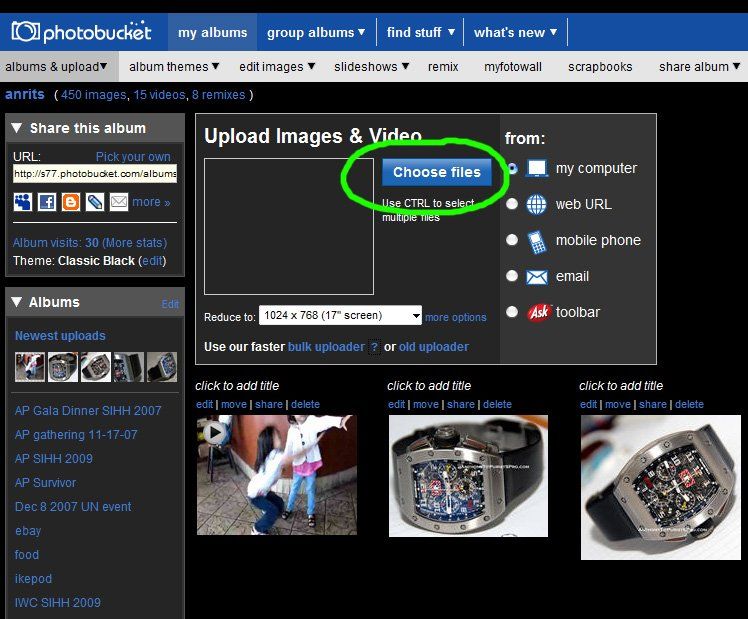
2) After the video is finished uploading, then copy the "HTML Code" as shown in the below picture.
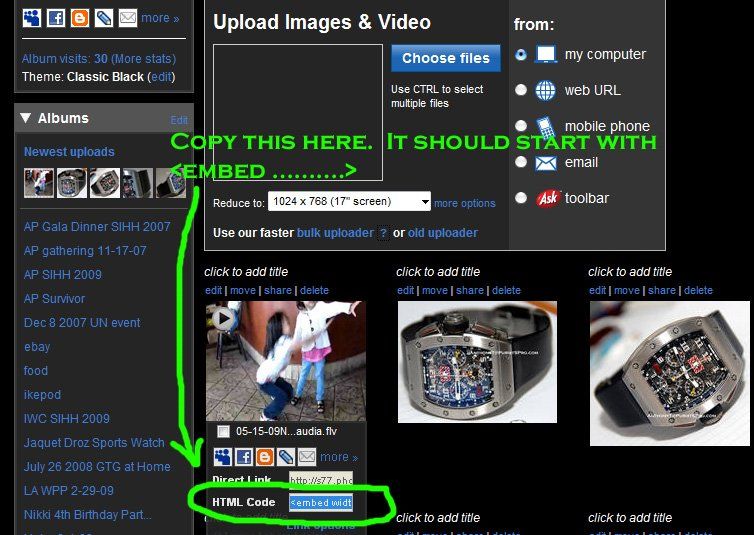
3) Go back to your message compose window on PuristSPro. Click on the "HTML" button in the WYSIWYG editor. This will change the mode to raw HTML mode.

4) Go to your message compose window, and then paste the HTML coding you copied over from Photobucket in the above Step 2). Your message compose window should now have the html coding as shown in the below picture.
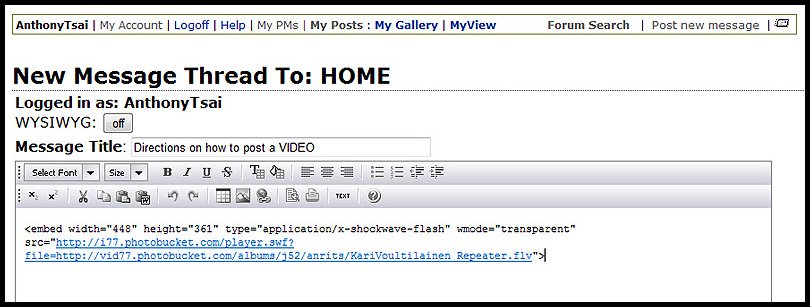
5) Then click on the "TEXT" button in the WYSIWYG editor so you can switch back from HTML mode to TEXT mode.
6) You will then see your video in the message compose window. Begin typing the text you want in the remaining of your post. When you're all done, then click on "insert".
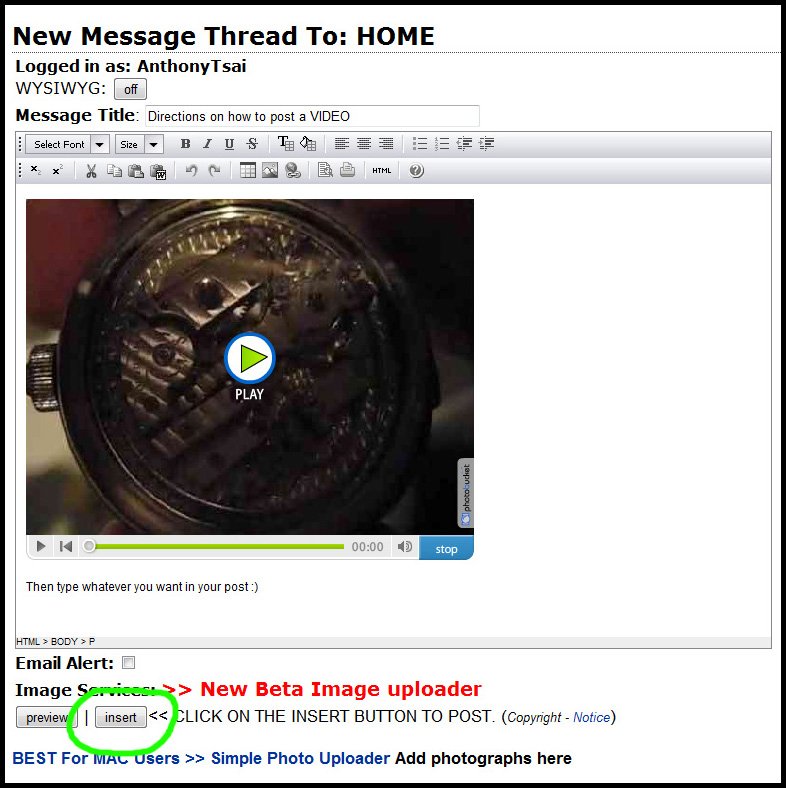
That's all you have to do to post a video here on PuristSPro. Pretty simple ain't it? 
Cheers,
Anthony
PS. If you want to edit your post after you've posted it, here are directions on how to edit your post within the 30-minute window from time of posting: HOW TO EDIT YOUR POST - CLICK HERE

what kind of music did you like in the early 80's ?

I was a big fan of " Fisher Z " too!

The usual stuff i guess ...
getting older but
Moby, Sven Van Hees ...

Simple Minds were a phenomenal band

Agreed, Simple Minds was a real favorite.

The usual bands + one newcomer . . .
The Pretenders
I only saw the Pretenders once, Greg . . .
Pretenders - Simple Minds connection
A lot of Symphonic Rock like
Allan Holdsworth

a few
To embed the videos inside your post, here are directions from Help Desk forum

My ipod is filled with 80's music!
Don't even get me started :-)

Pink Floyd, Dire Straits

The greatest era for soundtracks
Synthesizer crap
LOL! What about Gary Neuman and Thomas Dolby?
I have all T.Dolby Compact discs!

Yes, Andrew!

i was still in my heavy and prog rock stage.
Graham, even though you are old
i know what you mean....
There was a great song about Budapest on that LP as well