
cshimokita
[Photo Forum Moderator]
10714

Using manual focus lenses on the Nikon Df
The other day I mentioned that I was checking out the Nikon Df... The local camera shop has demo models of most currently available cameras... so I was trying a Ziess Planar T* 1,4/85 (F Mount / ZF.2) and the sales guy told me that manual focus confirmation was not possible.... strange...
Time for a little research and it turns out that there are three ways to focus manually with the Df...
01) using the ground glass in the finder (split screen focus screen is not available)
02) using the camera's focus indicator
03) using live view (zoom in is possible)
Number three only makes sense with fixed objects and/or in the studio... so today I went back to the camera store and tested option two...
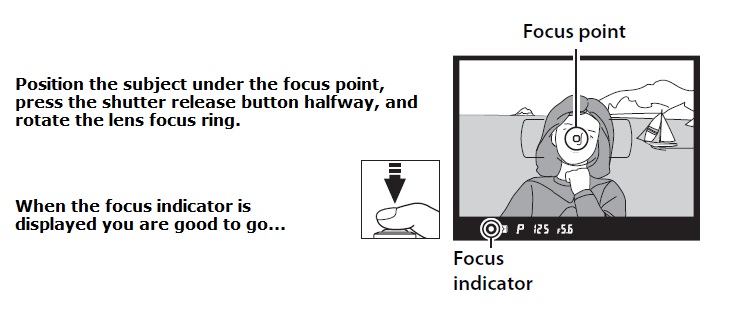
Note 1) If you have custom setting a4 (Auto Focus activation) set to use the AF-ON button for auto focus and disable focus using the shutter release button, the focus indicator will not be displayed in the viewfinder.
Note 2) Set the AF-mode button on the Df to "M" when using manual focus lenses... there will only be one focus point displayed as shown in the above image...
My test results were positive given the conditions e.g. no data storage card so I could not bring the images to my computer for analysis. Zooming in on the images was better than expected and comparable to the results when testing with the Nikon 50mm f/1.8G Special Edition kit lens (in-store using the LCD only for evaluation). The online reviews I have read are a little less positive ; ). Possible next step is to rent a Df for a couple of days...
It might have been better if the focus point indicated in-focus rather than a dot on the bottom of the finder... looking back and forth from the subject to the dot was a bit of a bother... during testing, maybe a learned skill ; )
Anyone here have experience with using manual focus lenses on the Nikon Df ?
Casey