Mel
281

Here's how to set your watch.
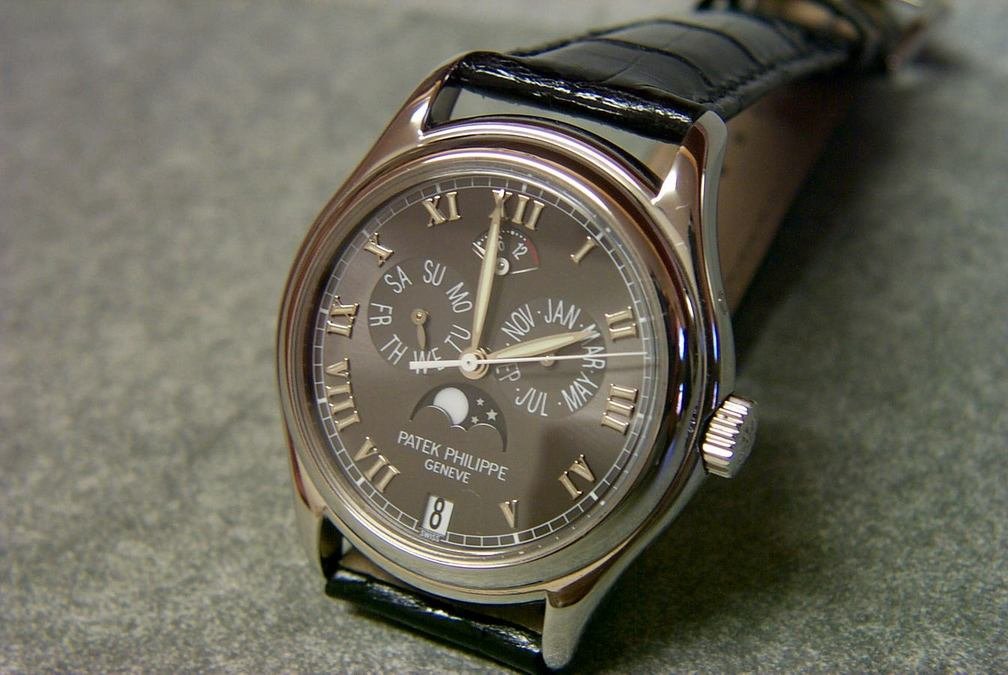
As stated previously, make sure you do not change the date indicators between the hours of 20:00(8pm) and 02:00(2am).
Advance the hands via the crown until the date changes, then stop at 6am.
The following buttons control these functions:
Button at 2=Month
Button at 4=Date
Button at 8=Moon phase
Button at 10=Day
The buttons act independently of each other except for the Date button which will advance the Month depending upon where the Date and Month indicators are when you push the Date button so set the Date button first to the correct Date, then set the other buttons in which ever order you wish.
How do i set 5056p?
hi everyone, this is my first post and i hope i'm not being redundant. so i just bought the 5056 p and have been searching fruitlessly for quite some time on the internet (and this site and its archive) as to how to set this watch. i did find this link ht...

I would agree with the majority.............
Of what your link has stated, except for: 1) The time should be set to about 6am 2) Before setting the final time set the moonphase. Please note that the moonphase starts its own setting between 5pm - 7.30pm 3) Can't help you with which button sets which ...
Here's how to set your watch.
As stated previously, make sure you do not change the date indicators between the hours of 20:00(8pm) and 02:00(2am). Advance the hands via the crown until the date changes, then stop at 6am. The following buttons control these functions: Button at 2=Mont...