
hotmail
73

How to include YouTube videos in your post.
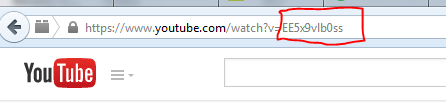
First locate the the youtube Video id of the video you which to incorporate.
There are a few ways to find it but the easiest is on the url of the video you want to load.
You only need the id. Copy the id by highlight just the id with your cursor and – edit copy or CTRL C.
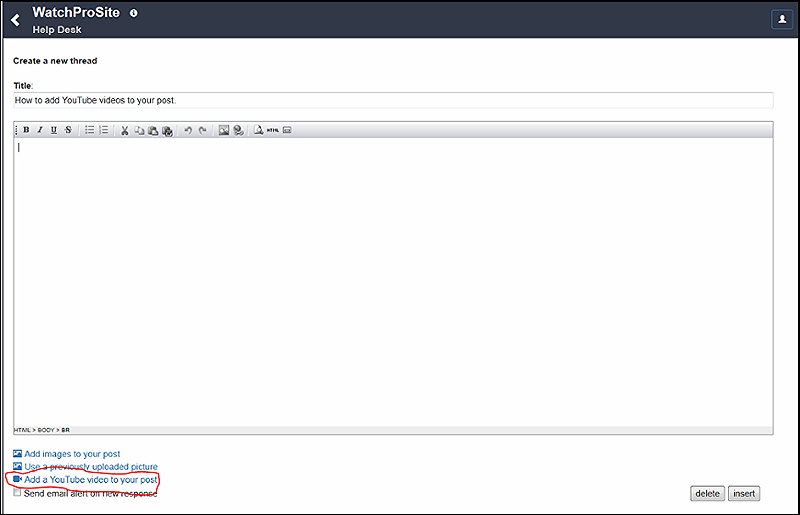
Next either using the thread form or the reply form compose your title and post text.
Then locate the add Youtube link and click on it.
Next you will have the form to paste in you video id and create a title for the video. Remember just the id not the full url.

Next just paste in the id - In this case the video id is EE5x9vlb0ss
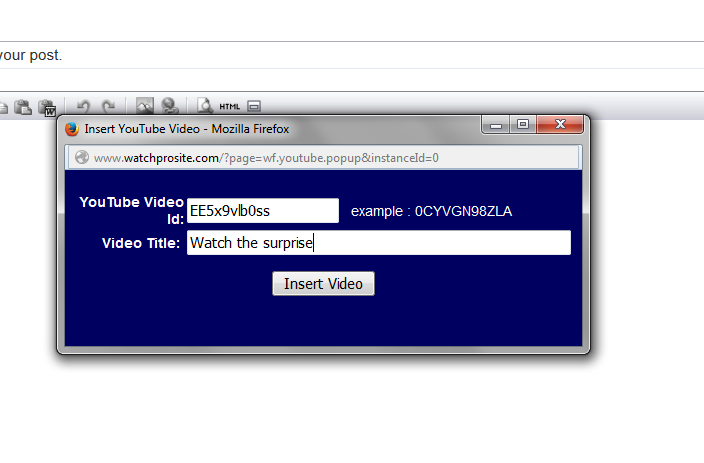
Then just click on insert video. We will take care of the rest just save you post.
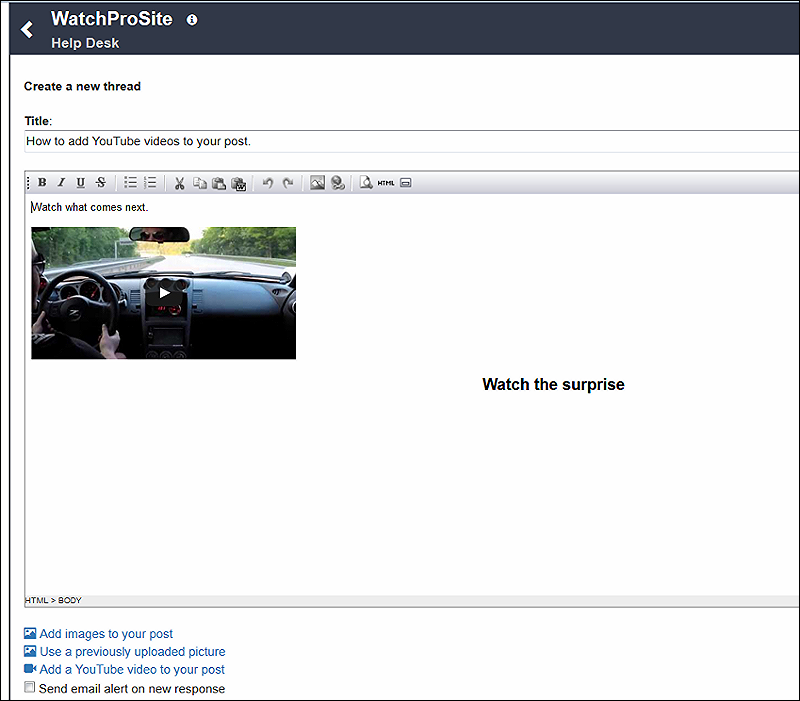
Just remember to save click on insert to save your post.
Enjoy.